

Introducing OpenBOM — the simple, modern way to manage BOMs and connect CAD to your business systems
 If your engineering and operations teams still wrestle with spreadsheets, manual re-entry, and out-of-sync bills of materials, you already know the cost: delays, purchasing errors, and frustrated engineers. OpenBOM solves that by providing a cloud-native, CAD-centric BOM platform that becomes the single source of truth for part data, assemblies, costing and supplier information — and it’s designed to bridge the gap between CAD and your ERP/MRP systems.
What is OpenBOM?
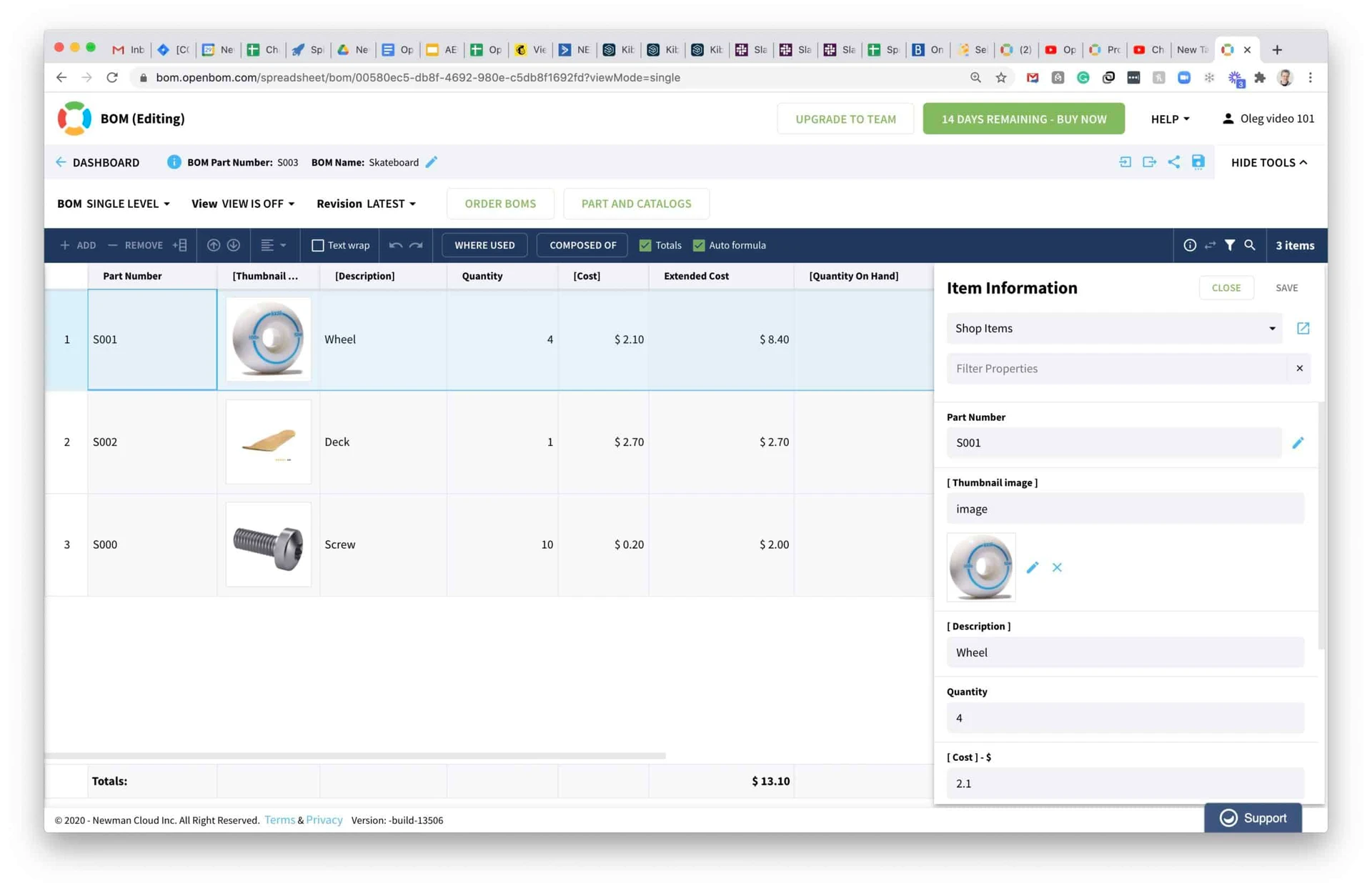
OpenBOM is a lightweight, flexible BOM management service that creates and maintains product structure directly from CAD models, and then keeps that structure connected to downstream systems and people. It works with major CAD systems via native connectors and exports, but its real power comes from treating the BOM as live data: item records, part numbers, quantities, units, costing, suppliers and lifecycle state are all managed in one place, accessible from the web.
Key value propositions
-
Create BOMs from CAD — automatically. OpenBOM pulls parts and assemblies straight from the CAD session so engineers don’t have to recreate BOMs by hand.
-
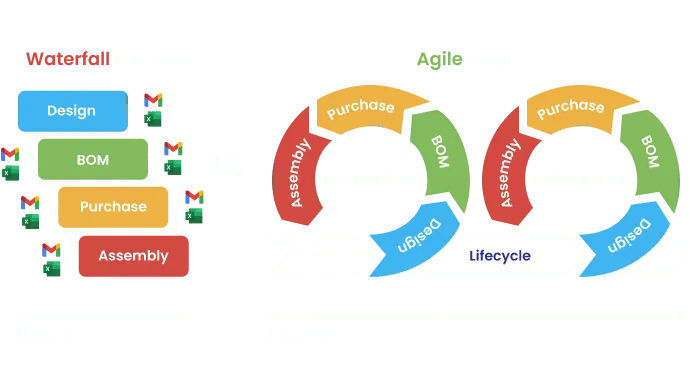
Single source of truth. Everyone — engineering, purchasing, manufacturing and supply chain — works from the same up-to-date BOM data, avoiding costly mismatches.
-
Live sync to business systems. OpenBOM’s APIs and export tools let you map and push BOM data to ERP/MRP systems, eliminating manual copy/paste and reducing errors during handoff.
-
Flexible part and supplier management. Track manufacturer part numbers, preferred suppliers, cost history and inventory info alongside CAD items.
-
Variant and configuration support. Manage product variants and option lists cleanly so configured BOMs flow properly into purchasing and production.
-
Change and revision control. Capture revisions, ECOs and change history so downstream teams always know what changed, when, and why.
-
Cloud collaboration and security. Secure, role-based access and cloud storage make it easy to collaborate across teams and sites without copying files.
How it typically works in practice
An engineer finishes a design in CAD and generates the BOM using the OpenBOM connector or a one-click export. OpenBOM converts CAD items into managed part records and enriches them with supplier and cost data (either manually or automatically). When the BOM is ready for manufacturing, OpenBOM either exports the structured BOM to your ERP/MRP or pushes it through an integration that maps items, quantities and purchase info into the right places. From there, purchasing and operations can act immediately — with confidence the data came directly from engineering. OpenBOM can even live natively within SOLIDWORKS PDM.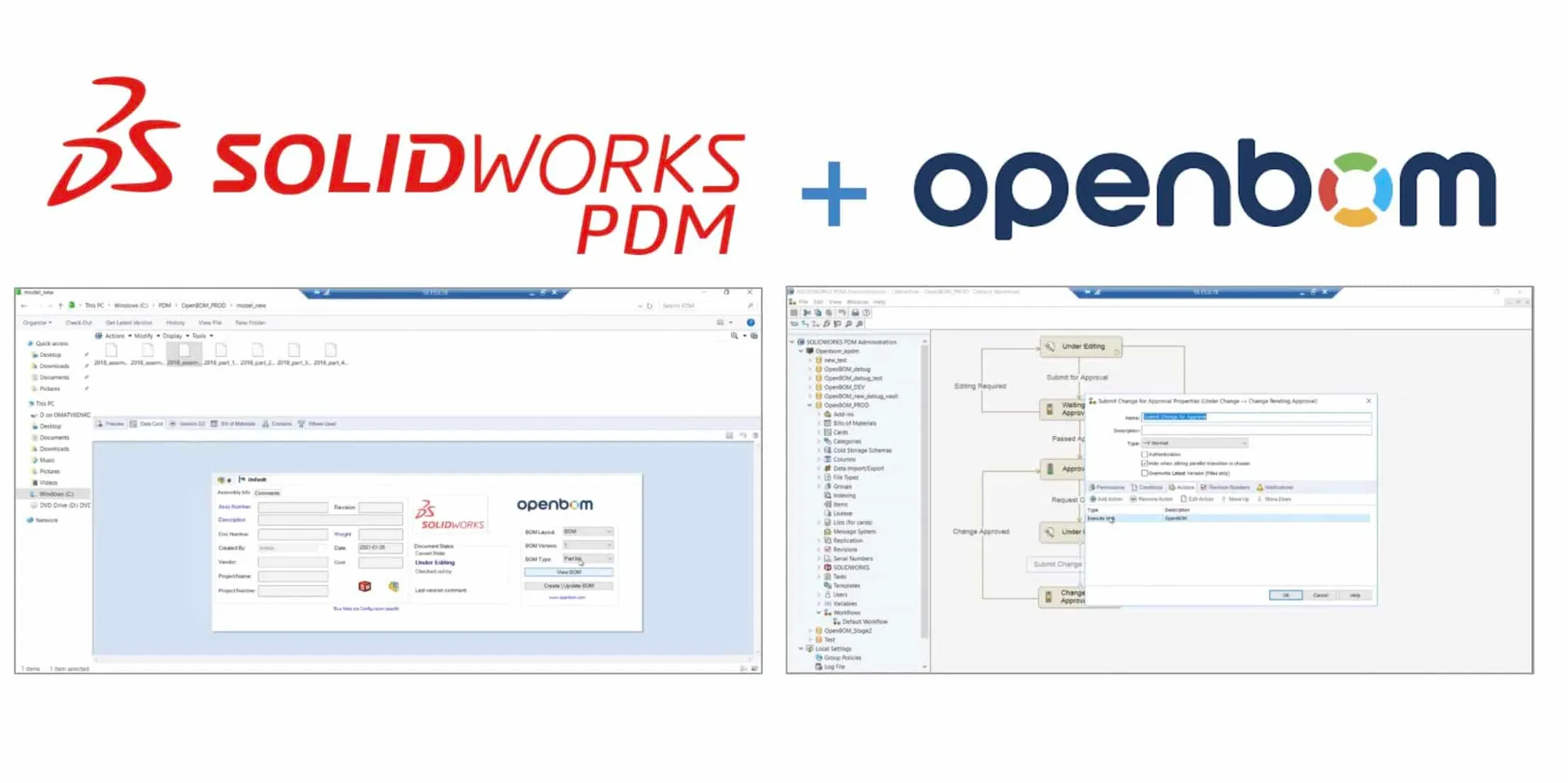
Business benefits you can expect
-
Significant reduction in admin time for BOM creation and handoff
-
Fewer purchasing mistakes and supplier mixups
-
Faster time to production and shorter lead times
-
Better visibility into part costs and supplier choices
-
Cleaner change management and traceability for audits and compliance
 Why work with Converge to deploy OpenBOM?
OpenBOM is powerful out of the box, but every manufacturing environment has unique needs: ERP/MRP mappings, naming conventions, supplier catalogs, and change processes. Converge helps you implement OpenBOM so it matches your workflows, integrates cleanly with your ERP or MRP system, and trains your teams to get immediate value. We focus on pragmatic integrations that reduce friction and produce measurable ROI.
Ready to stop retyping BOMs and start connecting engineering to the systems that run your business?
Finally Connect Your CAD to your ERP/MRP by clicking here.
If you’d like, I can tailor a short implementation plan for your environment — tell me which ERP/MRP you use (or plan to use), and I’ll outline next steps.




