A 3D scanner can capture a part in minutes. Turning that scan into something you can actually design with is where the week disappears. If you have ever opened an STL in SOLIDWORKS and stared at a few hundred thousand triangles, you know the problem: a mesh shows you the shape, but it gives you nothing to edit.
Why scan to CAD still hurts
Scan data arrives as meshes (.STL, .OBJ, .PLY) or raw point clouds. None of it has features, dimensions, or design intent. To get a usable model, an engineer traditionally rebuilds the part by hand: slicing sections, fitting sketches to noisy edges, surfacing the organic regions, and knitting it all into a solid. Then the guesswork starts. Is that wall 3 mm or 3.2 mm with scan noise? Was that hole drilled or cast? Every judgment call is a chance for rework when the part does not fit.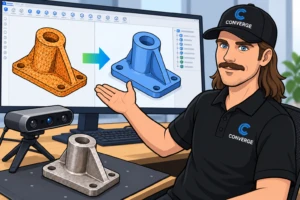
It is skilled, slow work. Backflip estimates manual reverse engineering at hours per part and $1,500 or more each. For a shop with a backlog of legacy parts, that math stops projects before they start.
What Backflip AI does differently
Backflip AI is a scan to CAD tool built on an AI model trained on millions of 3D geometries. You upload a mesh (STL, OBJ, PLY, GLB, or GLTF) and it reconstructs the part as a parametric model with a real feature tree: sketches, extrudes, revolves, and cuts in an order an engineer would recognize. It also checks its own work against the scan and iterates to improve dimensional accuracy.
Two modes cover most needs. Fast mode returns several candidate models in minutes, each built a different way. Thinking mode spends more time on complex geometry and returns one higher fidelity result.
For SOLIDWORKS users, the practical path today is the Backflip web app with STEP export. You get a clean, watertight solid in SOLIDWORKS instead of a mesh, ready to dimension, modify, and detail. That alone replaces the hardest part of the manual process.
Where it fits
Reverse engineering. Replacement parts, competitor teardowns, and fixtures where the only reference is the physical object.
Legacy parts. Components designed decades ago, with drawings lost or never digitized. Scan, reconstruct, and finally get them into your PDM vault as real models.
Physical to digital. Hand modified prototypes, worn tooling, or shop floor fixes that never made it back into CAD. Capture what was actually built.
Keep it practical
AI does not remove the engineer from the loop. Backflip performs best on machined and turned parts. Small details like thin walls, notches, and fine chamfers can still need cleanup, so treat the output as a strong starting point and verify critical dimensions against the scan or calipers. A workflow that holds up looks like this: 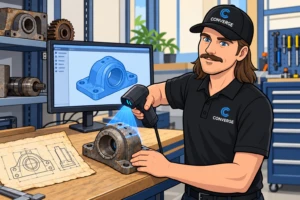
- Scan the part and mesh the point cloud in your scanning software.
- Reconstruct in Backflip and pick the best candidate.
- Bring the STEP into SOLIDWORKS, check it against the scan, and refine.
- Check the finished model into PDM with proper properties and revision.
Done this way, a job that took days moves to hours, and your senior engineers spend their time on judgment calls instead of fitting splines.
Try it on your parts
The fastest way to know whether scan to CAD AI works for you is to run it on your own geometry. Converge will set up a pilot using a handful of your real parts, measure the time saved against your current process, and show you where it fits next to SOLIDWORKS and PDM. Engineers helping engineers, with real numbers at the end.
Request a Backflip AI demo or pilot with Converge