


CAD Cybersecurity: What’s Really at Stake?
In 2026, CAD teams face more cyber risk than ever before. Cloud PDM, AI tools, hybrid work, and tighter links between engineering and manufacturing have all expanded the attack surface. As a result, engineering departments now sit much closer to the front line of cybersecurity.
That matters because engineering teams create some of the company’s most valuable assets. CAD files, assemblies, BOMs, and revision histories hold the intellectual property behind real products. When attackers target these systems, they do not just interrupt workflows. They threaten product development, manufacturing continuity, and competitive advantage.
Three major shifts have made CAD environments even more attractive to attackers. First, many PDM and PLM systems now live partly or fully in the cloud. Second, AI and automation now shape both defense and attack methods. Third, CAD systems connect more directly to manufacturing operations, which raises the stakes far beyond the design team.
Below, we break down the top cybersecurity threats facing CAD teams in 2026, explain why they matter, and outline a practical plan your cybersecurity team can use to reduce risk.
Top CAD Cybersecurity Threats in 2026
- Ransomware and double extortion targeting PDM stores

CAD vaults and PLM repositories contain the product data needed to design and build hardware. When ransomware locks those systems, engineering and manufacturing can stall fast. In many cases, attackers now steal the data before they encrypt it. Then they demand payment twice: once to restore access and again to keep stolen IP from being published.

In a CAD environment, the damage can spread quickly. Large files and slower backup cycles can give attackers more time to encrypt data. Worse, locking a vault can break references, assemblies, and BOM connections across many projects.
- Supply chain attacks through tools, plugins, and third-party libraries

Engineering teams rely on add-ins, plugins, converters, and connectors every day. However, each one introduces another possible entry point. If a trusted extension becomes compromised, it can spread malicious code across the design environment.
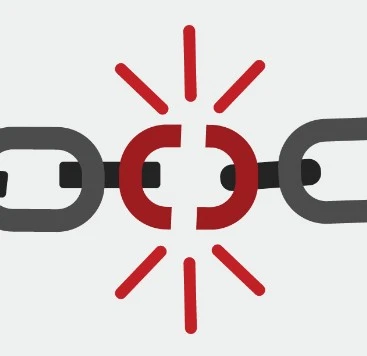
For example, a backdoored CAD add-in or PLM connector could run with engineer-level privileges. From there, it could steal design files or launch harmful automation.
- Cloud and SaaS misconfigurations

As more CAD infrastructure moves to the cloud, configuration mistakes create serious risk. Overly broad permissions, exposed endpoints, and unsecured storage can leave sensitive data accessible without any attacker needing to break encryption.

A misconfigured cloud PDM instance, for instance, might expose historical file versions, release documentation, or vault contents to the wrong users or services.
- Data exfiltration and IP theft

CAD data presents a unique challenge because the files are large, complex, and often invisible to traditional DLP tools. Attackers can use chunked uploads, encrypted tunnels, or ordinary sync services to move valuable files out of the business without raising alarms.

That means an attacker may steal gigabytes of engineering data quietly, even while normal systems appear to function as expected.
- Compromised credentials and weak access controls

Engineers often need wide access to assemblies, revisions, and related documentation. Without strong identity controls, that access becomes a major risk. Phished credentials, reused passwords, or poorly managed admin rights can open the door to highly sensitive data.
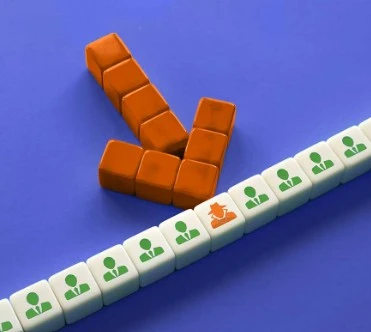
Once inside, an attacker may export released designs, download BOMs, or move laterally through connected systems.
- Vulnerable macros, scripts, and automation

Many CAD teams depend on macros and custom scripts to speed up repetitive work. While that improves productivity, it also introduces risk when teams do not control those tools carefully.

A modified macro in a shared library could steal data, corrupt designs, or introduce subtle geometry changes that create downstream failures.
- AI-assisted attacks and prompt-related exposure

AI now helps attackers move faster. It can support reconnaissance, improve phishing attempts, and uncover weak integrations at scale. At the same time, engineers using public AI tools may expose proprietary information without realizing it.

For example, a designer might paste sensitive design constraints into a public model. In another case, an attacker could use AI to identify and exploit weak connections between engineering systems.
- 3D Printing / Manufacturing pipeline tampering

In modern workflows, CAD often flows directly into CAM, additive manufacturing, or production systems. Because of that, attackers can do more than steal files. They can alter outputs.
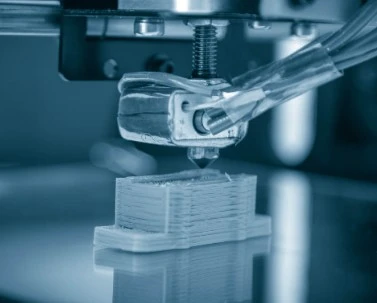
A small change to a tolerance, toolpath, or material specification can create real-world quality failures, safety issues, or production defects.
- Insider threats and poor separation of duties

Not every risk comes from outside the company. Employees, contractors, and partners may already have legitimate access to sensitive engineering data. Without strong oversight and clear role boundaries, insiders can leak, steal, or alter critical information.

That may look like an employee exporting assemblies to personal cloud storage or changing release states without approval.
- Firmware, workstation, and OT or IoT exploits

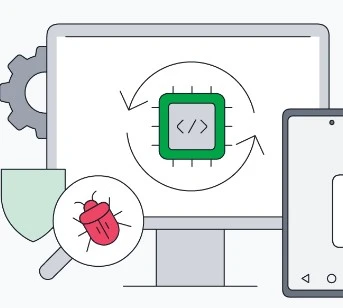
CAD workstations often depend on specialized drivers, GPU software, and connected devices. Those layers can create persistence points that evade normal endpoint protections. In more advanced cases, compromised firmware or build infrastructure can affect downstream artifacts across the supply chain.
Why CAD Environments Need Special Attention
CAD environments face a different risk profile than most business systems. First, the data holds extremely high value. A single assembly may represent years of work and millions in product investment. Second, CAD files are large and complex, which makes them harder for traditional security tools to inspect. Third, engineering systems connect to PDM, PLM, ERP, and manufacturing platforms, which increases lateral movement risk. Finally, recovery often takes much longer because teams must restore not only files, but also references, dependencies, and release integrity.
Why Action Matters Now
The business case is clear. A vault outage or IP breach can delay launches, disrupt production, increase regulatory exposure, and damage competitive position. At the same time, modern threats such as double extortion ransomware and supply chain compromise continue to grow in both impact and sophistication.
For that reason, CAD security deserves focused investment now. The earlier teams address these risks, the faster they can detect threats, reduce downtime, and protect the systems that support product development.
A Practical CAD Cybersecurity Roadmap

Immediate priorities: 0 to 30 days
Start with the basics that reduce the biggest risks fast. Enforce MFA and SSO across all PDM, PLM, and vendor portals. Lock down external sharing. Harden backups with immutable or air-gapped protection, and test restore procedures. Control add-in installation centrally, and patch critical CAD, PDM, GPU, and firmware systems.
Near term: 1 to 3 months
Next, build stronger visibility and access control. Create a full inventory of CAD assets, owners, and sensitivity levels. Deploy DLP rules that recognize CAD-specific file types and bulk export patterns. Then tighten access with role-based permissions and privileged access management. At the same time, segment CAD and PDM systems away from general corporate and factory networks.
Mid term: 3 to 9 months
From there, improve detection and governance. Strengthen endpoint monitoring so teams can spot unusual access to large binary files or signs of tampering. Feed PDM, PLM, CAD client, and add-in logs into the SIEM. Review vendor risk more carefully, test updates in a sandbox, and require code signing for macros and add-ins.
Long term: 9 to 18 months
Finally, build long-term resilience. Run CAD-focused red team and tabletop exercises. Sign and verify critical CAD artifacts before they move into manufacturing. Add integrity checks to toolpaths and production workflows. Also establish clear AI governance so teams know how to handle sensitive prompts and which models they can use safely.
What a Cybersecurity Team Can Deliver
A focused cybersecurity engagement can bring immediate value to a CAD department. That work may include a CAD threat assessment, PDM and PLM hardening, DLP and data classification, macro and add-in governance, incident response planning, staff training, and managed detection tied to CAD telemetry.
Most importantly, the right approach should reflect how engineering teams actually work. Generic IT security controls help, but they do not fully address the unique risks that come with CAD data, engineering workflows, and manufacturing dependencies.
Conclusion
CAD cybersecurity in 2026 goes far beyond standard IT hygiene. It requires engineering-aware security, stronger process controls, and closer coordination between CAD leaders and cybersecurity teams. The risks are growing, but so is the opportunity to address them before they disrupt product development.
A strong first step is a focused assessment. Start by identifying which assets matter most, which workflows could expose full vault exports, and how quickly your team could recover a released assembly from backup. Those answers will reveal where to act first and how to build a smarter, more resilient CAD security strategy.
Resources & frameworks to reference
-
CIS Controls (particularly controls for data protection, privileged access)
-
MITRE ATT&CK (for enterprise and cloud attack techniques)




