

CAD Cybersecurity - What's Really At Stake?
In 2026 the CAD floor is a frontline. Cloud PDM, AI tooling, hybrid work, and manufacturing convergence create fresh attack surfaces for engineering teams. Learn the top threats facing CAD departments — plus a practical roadmap your cybersecurity team can use to surface, prioritize, and expunge vulnerabilities.
Engineering groups build the intellectual property that powers products. CAD assets — massive assemblies, long-lived part families, complex BOMs and revision histories — are often the highest-value targets on the corporate network. By 2026, three big shifts make CAD teams an even juicier target:
-
Cloud-first PDM/PLM and SaaS integrations — vaults live partly or entirely in the cloud.
-
AI/automation embedded in design and DevOps — both defenders and attackers use AI to scale.
-
Stronger CAD–OT convergence — digital design feeds automated manufacturing (and therefore operational risk).
Below we walk through the top threats CAD teams face in 2026, explain why they matter to engineering workflows, and give a prioritized, actionable mitigation plan you can take to your cybersecurity team.
Top CAD cybersecurity threats in 2026
1. Ransomware & Double-Extortion Targeting PDM Stores

Why it matters: CAD vaults and PLM repositories contain the canonical product data needed to build hardware. Ransomware that encrypts vaults halts engineering and manufacturing. Attackers increasingly exfiltrate data before encrypting it, enabling double extortion: encrypt the files and threaten to publish IP.
How it plays out in CAD: Large binary files and slow continuous backups increase windows for successful encryption. Vault-locking ransomware can corrupt references and BOMs, turning a single encrypted file into cascading assembly breakage.
2. Supply-Chain Attacks: Tooling, Plugins, & Third-Party Libraries
Why it matters: Engineering environments rely on add-ins, vendor plugins, and third-party converters. A compromised SOLIDWORKS/MicroStation/Creo extension or an infected CAD utility can propagate malicious code or backdoors across an entire design floor.
How it plays out: An attacker inserts a backdoor into a popular CAD add-in or compromises a PLM connector; when the add-in runs with design-engineer privileges it exfiltrates designs or executes harmful automation.
3. Cloud & SaaS Misconfiguration (PDM/PLM, Storage, IAM)

Why it matters: Misconfigured cloud storage buckets, excessive IAM permissions, and open endpoints let attackers or curious third parties access vault content without breaking any encryption.
How it plays out: A misconfigured PDM cloud instance exposes historical versions and release docs, or an improperly scoped service principal allows a developer tool to download vault contents.
4. Data Exfiltration & IP Theft (Large Binary Files)

Why it matters: CAD files are big and often poorly monitored by classic DLP tools tuned for text. Attackers can leverage chunked uploads, encrypted tunnels, or innocuous cloud sync services to siphon IP.
How it plays out: An adversary uses compressed archives, stealthy exfiltration channels (e.g., multipart uploads to cloud objects) or legitimate vendor connections to move gigabytes of CAD assets out of the enterprise.
5. Compromised Credentials & Insufficient Privilege Controls
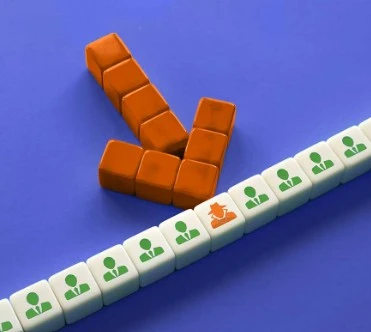
Why it matters: Engineers need broad access to assemblies and related files. Without least-privilege controls and privileged access management (PAM), compromised accounts open the doors to sensitive vault content.
How it plays out: Phished SSO credentials or reused passwords lead to unauthorized exports of released designs and BOMs.
6. Malicious or Vulnerable Macros, Scripts & Automation
Why it matters: CAD environments make heavy use of macros, automation scripts and custom tooling for repetitive tasks. Poorly controlled script libraries can contain malware or logic that corrupts designs.
How it plays out: A macro from a shared script repository is modified to exfiltrate data or to insert subtle changes into part geometry that create downstream failures.
7. AI-Assisted Attacks & Prompt/Model Exploits

Why it matters: By 2026 attackers are using AI to scale reconnaissance, craft tailored phishing, and find obscure misconfigurations. Designers using LLM assistants for macros or parametric scripts risk leaking context or secrets via third-party models.
How it plays out: An engineer pastes proprietary design constraints into a public model, leaking trade secrets — or an attacker uses AI to probe for weak integrations and exploit them automatically.
8. 3D Printing / Manufacturing Pipeline Tampering
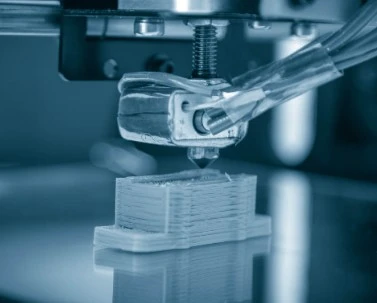
Why it matters: CAD → CAM → printer is a pipeline. Tampering with digital print files or toolpath parameters can sabotage parts without visible evidence in the final binary, creating product failures or safety risks.
How it plays out: A malicious actor modifies a critical tolerance in a printed part or sabotages a BOM to substitute lower-grade materials.
9. Insider Threats & Poor Separation of Duties

Why it matters: Designers, contractors, and manufacturing engineers have legitimate access to sensitive data. Without monitoring and strict controls, insiders can exfiltrate, leak, or sabotage work.
How it plays out: A disgruntled employee exports assemblies to personal cloud storage or intentionally alters release states.
10. Firmware, Workstation & OT/IoT Exploits
Why it matters: CAD workstations often run specialized drivers and firmware (GPU drivers, motion controllers). Compromised firmware or GPU-level attacks can be resilient to typical endpoint defenses and provide persistence.
How it plays out: Firmware tampering on a build server causes manipulated artifacts to be signed and distributed along the supply chain.
Why CAD is a special target
-
High-value assets: A single assembly can represent months of engineering and millions of euros/dollars of IP.
-
Large, complex files: Traditional DLP and antivirus miss or mishandle big binary blobs.
-
Interconnected pipeline: CAD ↔ PDM/PLM ↔ ERP/Manufacturing increases lateral-movement risk.
-
Tooling diversity: Mix of vendor tools, add-ins, scripts, and legacy utilities raises attack surface.
-
Slow recovery: Restoring complex assemblies and resolving broken references takes far longer than restoring single files.
The business case — why you must act now
Engineering downtime from a vault outage or IP leak is expensive: lost development time, delayed product launches, regulatory exposure, and competitive damage. The nature of modern attacks — especially double-extortion ransomware and supply-chain compromises — increases both the probability and severity of loss. Investing early in targeted CAD security reduces mean time to detect and recover, and protects your most valuable digital assets.
Practical mitigation roadmap — prioritized and CAD-specific

Immediate / Quick wins (0–30 days)
-
Enforce MFA + SSO for all PDM/PLM and vendor portals. No exception.
-
Lock down external sharing: disable public links and audit sharing policies.
-
Harden backups: enable immutable/air-gapped backups for vaults; verify restore playbooks.
-
Block risky add-ins: centrally control add-in installation; whitelist signed vendors.
-
Patch critical systems: apply vendor patches for PDM/PLM and CAD clients, plus GPU/firmware updates.
Near term (1–3 months)
-
Asset inventory & classification: catalog CAD assets, owners, and sensitivity levels. Include BOMs and downstream manufacturing data.
-
Deploy DLP tuned for CAD: content-aware and flow-aware DLP that recognizes CAD file types and flags bulk exports.
-
Least privilege & PAM: implement role-based access for vaults and a PAM solution for admin operations.
-
Network segmentation & zero trust: separate CAD/PDM systems from general corporate networks and factory OT.
Mid term (3–9 months)
-
Endpoint hardening: modern EDR with capability to detect unusual file access patterns for large binaries and tampering attempts.
-
Logging & SIEM integration: ingest PDM/PLM logs, CAD client logs, and add-in telemetry into SIEM; automate alerts on abnormal exports.
-
Vendor & supply chain risk management: require SBOMs for tools, perform vendor security questionnaires, and test vendor updates in a sandbox.
-
Secure development & code signing: require code signing for macros and add-ins; scan shared script repos for anomalies.
Long term (9–18 months)
-
Red-teaming & tabletop exercises: run CAD-focused attack simulations and tabletop incident response with engineering and manufacturing.
-
Immutable release pipelines: cryptographically sign canonical CAD artifacts and verify integrity before manufacturing.
-
Advanced protections for manufacturing: integrity checks on toolpaths, printer validation and hardware attestation for factory endpoints.
-
AI governance: policies for LLM usage, data handling, and private/on-premise model hosting for sensitive prompts.
Click here for our FREE Cybersecurity for CAD Checklist (TBA)
What our Cybersecurity team can deliver for your CAD department
If you bring this to a cybersecurity partner or internal team, here’s a practical engagement scope that produces immediate value:
-
CAD Threat Assessment & Risk Map — asset discovery, attack surface mapping, prioritized vulnerability list.
-
PDM/PLM Hardening Project — configuration, IAM, logging, and backup remediation.
-
DLP & Data Classification Rollout — rules tuned for CAD/REV/PRT/ASM files, BOM exports, and archive flows.
-
Add-in & Macro Governance — whitelisting, signing, and secure script repository.
-
Red Team / Purple Team Exercise — simulate targeted exfiltration and ransomware scenarios and improve detection.
-
Incident Response Playbook & Tabletop — CAD-specific playbooks for recovery, PR, and supplier coordination.
-
Training for Designers & Managers — focused on secure data handling, AI risks, and phishing defenses.
-
Ongoing Managed Detection & Response (MDR) with CAD telemetry integration.
Closing — start with a focused assessment
CAD security in 2026 is not about generic IT hygiene alone; it requires engineering-aware defenses, process change, and collaboration between CAD leads and security. Begin with a short, practical assessment that answers:
-
“Which assets would stop product development if lost?”
-
“Which flows let someone move entire vault exports off-network?”
-
“How long would it take to rebuild a released assembly from our backups?”
If you’d like, we can prepare a free 30-min CAD security discovery that maps your vault, identifies 5–10 high-impact weaknesses, and begins to build a prioritized remediation plan your IT and CAD teams can execute. Reply to schedule — we’ll bring a checklist, runbooks, and a short tabletop tailored to your environment.
Resources & frameworks to reference
-
CIS Controls (particularly controls for data protection, privileged access)
-
MITRE ATT&CK (for enterprise and cloud attack techniques)




